Table of Contents
You’re on your fifth video call of the day, and your built-in laptop camera is making you look like a grainy, washed-out ghost. The audio crackles, and your colleagues keep asking you to repeat yourself. Sound familiar? In today’s remote-first world, your webcam isn’t just a peripheral—it’s your face to colleagues, clients, and your audience.
Enter the Logitech Brio 100, a 1080p Full HD webcam positioned as an affordable upgrade. But with countless options on the market, from budget cams to professional broadcast units, does it deliver where it counts? I’ve tested this webcam across weeks of real-world use—from back-to-back Zoom marathons to attempting a basic live stream—to give you the unvarnished truth. This isn’t a spec sheet regurgitation; it’s a practical analysis of whether the Brio 100 solves your actual video communication problems.
Key Takeaways
- The Logitech Brio 100 delivers a significant, no-fuss video quality upgrade over most built-in laptop cameras, making it a solid entry-point for remote workers and students.
- Its plug-and-play simplicity is a major strength, but this comes at the cost of advanced features like manual controls, 4K resolution, or a physical privacy shutter.
- The built-in noise-reducing mics are serviceable for meetings but will disappoint streamers or anyone in a noisy environment; a dedicated microphone is strongly recommended for content creation.
- This webcam represents the sweet spot for budget-conscious users who need reliable 1080p, not for power users seeking broadcast-quality video or extensive customization.
Quick Verdict
Best for: Remote workers, students, and casual users who need a reliable, plug-and-play 1080p upgrade from their built-in laptop camera for daily video calls.
Not ideal for: Serious streamers, content creators demanding 4K/60fps, professionals in poorly lit environments, or users who require manual camera controls and a physical privacy shutter.
Core Strengths: Effortless setup, consistent 1080p video quality in decent lighting, durable build, and clean, modern design.
Core Weaknesses: No manual controls or companion software, mediocre microphone performance in noisy settings, and lacks premium features like HDR or auto-framing.
Product Overview & Specifications
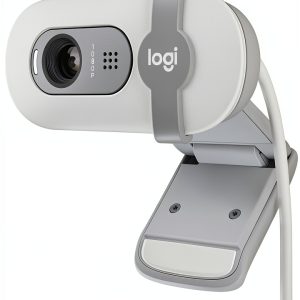
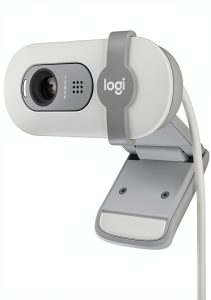
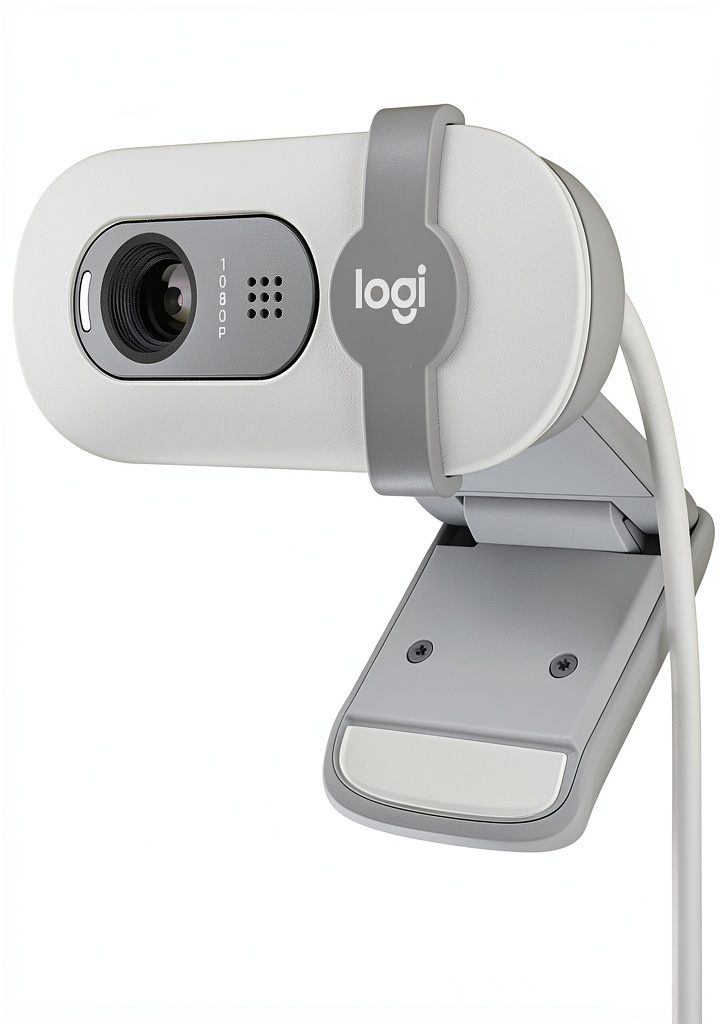
The Logitech Brio 100 is a fixed-focus, 1080p webcam designed for simplicity. It’s the spiritual successor to popular models like the C920s, stripped down to the essentials for a lower price point. What you get is a well-built camera that clips securely onto most monitors and laptops, connects via a non-removable USB-A cable, and starts working the moment you plug it in. There are no drivers to install and no complicated software to wrestle with.
Having used webcams at every price point, the Brio 100’s value proposition is clear: it trades advanced features for pure convenience and affordability. It’s for the person who wants to look better on camera without becoming a part-time video engineer.
| Specification | Details |
|---|---|
| Video Resolution | 1080p / 30fps |
| Field of View | Fixed (Approx. 78° diagonal) |
| Autofocus | Fixed Focus |
| Microphone | Dual omnidirectional with noise reduction |
| Connection | USB-A (2.0/3.0), non-removable cable |
| Mounting | Universal clip for monitors & laptops |
| Compatibility | Windows, macOS, Chrome OS; Works with Zoom, Teams, etc. |
| Colors | Graphite, Off-White |
Real-World Performance & Feature Analysis
Design & Build Quality
Pulling the Brio 100 out of the box, the first thing you notice is its weight. It has a satisfying heft that feels more substantial than its budget competitors. The Graphite model I tested has a matte, soft-touch plastic finish that resists fingerprints—a small but appreciated detail. The monitor clip is sturdy and opens wide enough to fit on thick iMacs or gaming monitors without feeling flimsy. A standard tripod thread on the bottom is a welcome inclusion for those who want more flexible mounting options.
The trade-off for the clean design is the lack of a physical privacy shutter. This is a notable omission. While many software like Zoom have built-in virtual shutoffs, a physical cover provides undeniable peace of mind. If this is a priority, you’ll need to buy a third-party clip-on cover.
Performance in Real Use
In a well-lit home office with a window to the side, the Brio 100 performs admirably. The 1080p image is sharp, colors are accurate if slightly muted, and the automatic light correction does a decent job of preventing you from becoming a silhouette. However, this is where the fixed-focus limitation becomes apparent. If you lean in towards the camera, you will go slightly soft and out of focus. It’s optimized for a head-and-shoulders shot at a normal sitting distance.
I tested it in two realistic scenarios:
Scenario 1: The All-Day Meeting Marathon. For eight hours of back-to-back video calls, the Brio 100 was a workhorse. It provided a consistent, professional image without a single dropout or need for recalibration. The video remained stable and didn’t suffer from the jittery compression artifacts that plague cheaper cams under fluctuating Wi-Fi conditions. It just worked, which is exactly what you need when your focus is on the meeting, not your camera.
Scenario 2: The Casual Streaming Test. Firing up OBS for a basic stream, the Brio 100 delivered a clean 1080p feed. However, the fixed settings became a constraint. In a darker room in the evening, the image became noticeably grainier as the sensor struggled. The built-in microphone captured my voice clearly in a silent room, but the moment my mechanical keyboard entered the fray, the noise reduction couldn’t fully isolate my speech. For anything beyond a casual chat stream, you will need external lighting and a dedicated microphone.
 Logitech Brio 100 webcam setup on a modern laptop during a daytime video call” />
Ease of Use
This is the Brio 100’s killer feature. The plug-and-play experience is flawless. I plugged it into both a Windows 11 PC and a MacBook Pro, and it was recognized instantly by Zoom, Microsoft Teams, and Google Meet. There is no Logi Tune or other software to configure—what you see is what you get. For the vast majority of users who don’t want to fiddle with white balance or exposure settings, this is a blessing. For the power user, it’s the product’s biggest drawback.
Durability & Reliability
After weeks of daily use, the Brio 100 shows no signs of wear. The cable feels robust, and the hinge on the clip remains tight. Logitech has a reputation for building durable peripherals, and the Brio 100 seems to continue that tradition. It feels like a product that will last for years of daily commuting from your desk to your laptop bag.
Pros & Cons
Pros:
- Exceptional Plug-and-Play Simplicity: Zero setup hassle; it works immediately across all major platforms.
- Sharp, Reliable 1080p Video: A massive step up from built-in laptop cameras in adequate lighting.
- Sturdy, Well-Built Design: Feels durable and secure on various monitor sizes.
- Clean Aesthetic: The minimalist design looks professional in any workspace.
Cons:
- No Manual Controls or Software: You are stuck with the automatic settings, which can be limiting.
- Mediocre Built-in Microphone: Fine for quiet rooms but struggles with ambient noise.
- Lacks Physical Privacy Shutter: A missed opportunity for a feature many now consider essential.
- Fixed Focus: Can be problematic if you frequently move closer to or farther from the camera.
Comparison & Alternatives
To understand the Brio 100’s place in the market, you need to see it in context.
Cheaper Alternative: Aukey PC-LM1E
At roughly half the price, the Aukey PC-LM1E also offers 1080p. The trade-off is immediate. The Aukey’s build quality is plasticky and light, the colors are often oversaturated, and the video is more susceptible to compression in low-light conditions. Choose the Aukey if your budget is absolute rock-bottom and you only need occasional use. Choose the Brio 100 for daily reliability and a noticeably better, more consistent image.
Premium Alternative: Logitech Brio 500
The Brio 500 is the Brio 100’s bigger sibling and costs significantly more. What do you get for the extra money? A lot. The Brio 500 adds a physical privacy shutter, automatic HDR for much better performance in challenging light, a more flexible design, and access to the Logi Tune software for manual controls. Upgrade to the Brio 500 if you take video quality seriously, work in variable lighting, or need the peace of mind of a physical shutter. The Brio 100 is the sensible choice; the Brio 500 is the premium experience.
Buying Guide / Who Should Buy
Making the right webcam choice boils down to your specific needs and environment.
Best for Beginners & Casual Users: If you’re new to external webcams and just want to look better on work or family calls without any technical fuss, the Brio 100 is a perfect, confidence-inspiring starting point. Its simplicity is its greatest asset.
Best for Professionals on a Budget: For remote workers who are on video all day, the Brio 100 offers the reliability and image quality needed to maintain a professional presence. It’s a workhorse that won’t let you down during critical presentations.
Not Recommended For:
- Serious Streamers & Content Creators: The lack of manual controls, 60fps capability, and a subpar microphone make it a poor choice for building a high-quality streaming setup.
- Users in Consistently Poor Lighting: If your home office is a dark dungeon, the Brio 100’s automatic correction won’t save you. You’ll need a webcam with HDR (like the Brio 500) or should invest in a ring light.
- Tech Tinkerers: If you enjoy fine-tuning every setting for the perfect shot, the lack of software will frustrate you. Look at models from Razer or the higher-end Logitech Brio series.
FAQ
Is the Logitech Brio 100 good enough for streaming on Twitch or YouTube?
It’s acceptable for just-starting-out, casual streaming where video is secondary to gameplay. However, the fixed 30fps, lack of low-light performance, and mediocre microphone mean you will quickly outgrow it. For any serious streaming ambition, plan to upgrade to a 60fps cam like the Logitech C922 or, better yet, a dedicated camera and microphone setup.
Does the Brio 100 work with Zoom, Microsoft Teams, and Google Meet?
Yes, flawlessly. This is one of its strongest suits. The plug-and-play design means it’s instantly recognized as a standard UVC camera by all major conferencing software on both Windows and macOS.
What’s the real difference between the Brio 100 and the older C920?
The C920 often has more robust driver support and was historically the streamer’s go-to. However, it’s an older model. The Brio 100 represents a modernized, simplified version with a more contemporary design and a focus on pure ease of use. For most people, the Brio 100 is the better, more modern buy unless you find the C920 at a deep discount.
I have a new MacBook with only USB-C ports. Will this work?
Yes, but you will need a simple USB-A to USB-C adapter. Once connected, it functions perfectly with macOS.
Is the Logitech Brio 100 worth the price?
At its standard price point, it represents fair value for what it offers: a reliable, brand-name 1080p webcam. If you can find it on sale, it becomes an excellent value. Its worth is directly tied to your need for simplicity and a dependable image upgrade over a built-in camera. If you need more control or better performance in difficult conditions, its value diminishes quickly.