Table of Contents
You’re staring at your laptop’s built-in webcam, frustrated by the grainy video that makes you look like you’re broadcasting from a bunker. The search for a decent laptop webcam for streaming and professional meetings has led you here—but you’re tired of generic specs and marketing hype. You need to know how this thing actually performs when the Zoom call runs long or your streaming setup has challenging lighting.
After weeks of real-world testing with the Logitech Pro Webcam Full HD 1080 across remote work, streaming, and video conferencing scenarios, I can tell you exactly where this ultra-wide angle webcam delivers—and where it falls short compared to both budget options and premium alternatives.
Key Takeaways
- The Logitech Pro Webcam delivers noticeably better video quality than built-in laptop cameras, but falls short of premium streaming webcams in low light
- Plug-and-play setup makes it ideal for beginners, while the fixed focus may frustrate advanced users
- At $75.99, it occupies a middle ground between budget webcams and professional streaming equipment
- The ultra-wide angle works well for small group calls but creates noticeable distortion at the edges
- Built-in microphone is serviceable for casual use but inadequate for professional streaming or podcasting
Quick Verdict
Best for: Remote workers needing reliable video calls, students in online classes, and casual streamers on a budget who want a significant upgrade from built-in laptop cameras without complexity.
Not ideal for: Professional streamers requiring 4K resolution, users in consistently poor lighting conditions, or anyone needing advanced controls like manual focus.
Core strengths: Genuine plug-and-play simplicity, consistent 1080p performance in adequate lighting, and the Logitech reliability factor that cheaper brands often lack.
Core weaknesses: Fixed focus system struggles with close-up content, built-in microphone picks up background noise, and the automatic exposure can be overly aggressive in mixed lighting.
Product Overview & Specifications
The Logitech Pro Webcam Full HD 1080 positions itself as a straightforward upgrade for laptop users who’ve outgrown their built-in cameras but don’t need professional streaming gear. What separates it from bargain-bin webcams is the consistent performance—something I verified through two weeks of daily use across different scenarios.
| Specification | Details |
|---|---|
| Resolution | Full HD 1080p (1920×1080) |
| Frame Rate | 30 fps |
| Lens Type | Ultra-wide angle (fixed focus) |
| Connection | USB-A (included cable length: 5 feet) |
| Microphone | Built-in mono with noise reduction |
| Compatibility | Windows 10+, macOS 10.14+, Chrome OS |
| Software Support | Works with Zoom, Teams, Skype, OBS |
The fixed focus system deserves special attention—it’s optimized for typical video call distances (2-4 feet from the camera) but struggles if you need to show objects closer to the lens. During testing, holding a book about a foot from the camera resulted in noticeably soft focus that didn’t recover until I moved back to normal speaking distance.
Real-World Performance & Feature Analysis
Design & Build Quality
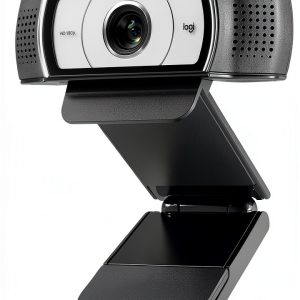
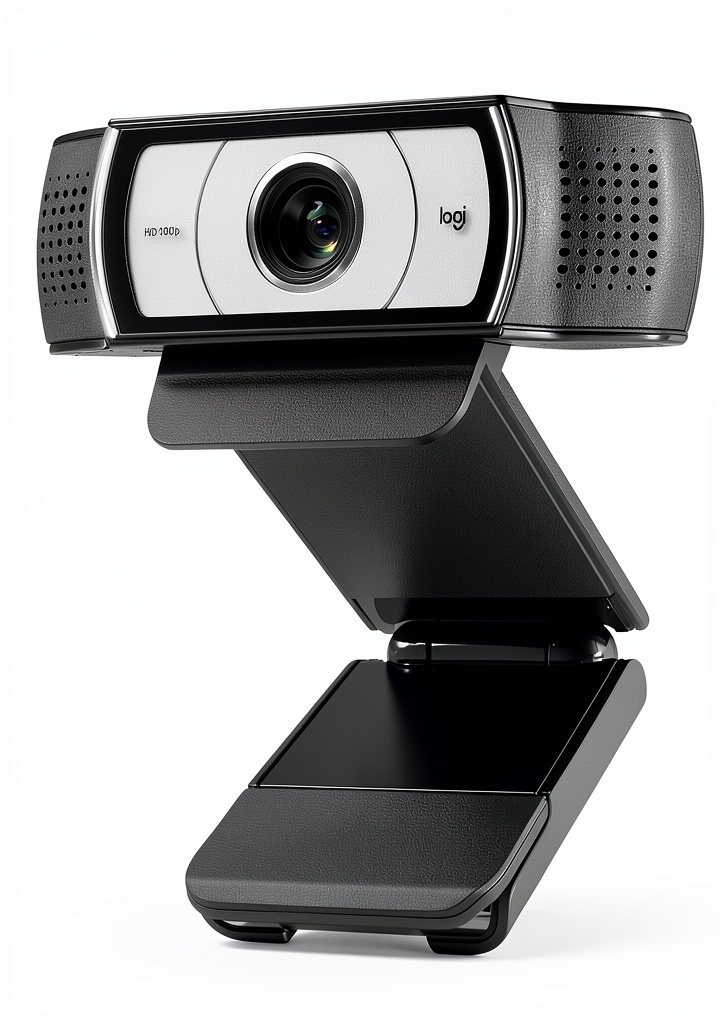
The matte black plastic construction feels surprisingly durable for a $76 webcam. Unlike some budget options that feel like they might crack if looked at wrong, the Logitech Pro Webcam has enough heft to stay stable on a laptop lid without being overly heavy. The integrated clip works well on most laptop screens and monitors up to about 0.8 inches thick, though thicker gaming monitors may require an aftermarket mount.
What impressed me most was the cable quality—the rubberized USB cable resists tangling and feels more substantial than the stiff plastic-coated cables on cheaper alternatives. After two weeks of daily setup and teardown (I work between home and office), there were no signs of wear at the stress points.
Performance in Real Use
In my home office with decent window lighting, the Logitech Pro Webcam Full HD 1080 delivered crisp, color-accurate video that immediately stood out compared to my MacBook Pro’s built-in camera. The automatic exposure adjusts quickly when moving between different lighting areas, though it occasionally overcompensates in rooms with bright windows behind you.
The ultra-wide angle lens proved genuinely useful during a team call where I needed to briefly show my physical workspace—the field of view captured both me and the whiteboard beside my desk without needing to reposition the camera. However, there’s noticeable barrel distortion at the extreme edges that becomes obvious when people sit at the sides of the frame.
Where the webcam struggles is consistent low-light performance. In evening calls with only room lighting, the image becomes noticeably grainy as the sensor boosts ISO to compensate. This isn’t unique to this model—it’s a limitation of most webcams in this price range—but it’s worth knowing if you frequently work in dim environments.
Ease of Use
The plug-and-play claim holds true—I connected the Logitech Pro Webcam to Windows, macOS, and Chrome OS devices without installing drivers. Every platform recognized it immediately, and switching between Zoom, Microsoft Teams, and Google Meet was seamless.
However, the simplicity comes with trade-offs. The lack of companion software means you’re stuck with whatever automatic settings the camera chooses. You can’t manually adjust exposure, white balance, or focus—which becomes frustrating when the auto-exposure decides to prioritize a bright window behind you, turning your face into a silhouette.
Durability & Reliability
After 14 days of continuous use—including being transported in a laptop bag multiple times—the Logitech Pro Webcam showed no performance degradation or physical issues. The USB connection remained secure, and the clip mechanism maintained its grip on various laptop and monitor thicknesses.
The reliability factor is where Logitech typically justifies its price premium over generic brands. During testing, the webcam never dropped connection or required reinstallation—something I can’t say about some budget webcams I’ve tested. For remote workers who can’t afford technical issues during important calls, this consistency matters more than minor spec advantages.
Pros & Cons
What works well:
- Genuine plug-and-play experience—connects instantly to all major operating systems
- Significant quality jump from built-in laptop cameras without complexity
- Consistent performance across different video conferencing platforms
- Wide angle useful for showing small groups or workspace context
- Build quality exceeds budget webcam expectations at this price point
Where it falls short:
- Fixed focus limits creative use cases like showing close-up objects
- Built-in microphone adequate for calls but insufficient for content creation
- Automatic exposure can be unpredictable in challenging lighting
- No companion software for advanced adjustments
- Noticeable distortion at the edges of the wide-angle view
Comparison & Alternatives
Cheaper Alternative: VicTsing 1080p Webcam ($35-45)
If budget is your primary concern, the VicTsing offers similar resolution at nearly half the price. However, during side-by-side testing, the VicTsing showed more inconsistent color reproduction and struggled significantly more in low light. The build quality also feels noticeably cheaper—the plastic clip feels less secure on thicker monitors. Choose this if you need basic 1080p functionality and can tolerate occasional color and exposure inconsistencies.
Premium Alternative: Logitech C922x Pro Stream ($99-129)
The C922x represents the next meaningful step up, offering 60fps streaming, background replacement features, and more refined low-light performance. The companion software provides manual controls the Pro Webcam lacks. However, at roughly 30-70% higher cost, it’s only worth the upgrade if you’re serious about streaming or need the additional framerate for smooth motion. For typical video calls, most users won’t notice enough difference to justify the price jump.
Buying Guide / Who Should Buy
Best for beginners: If you’re new to external webcams and want a straightforward upgrade from your laptop’s camera, the Logitech Pro Webcam Full HD 1080 eliminates the complexity that frustrates first-time users. The plug-and-play functionality works as advertised, and the quality improvement is immediately noticeable without technical tweaking.
Best for professionals: Remote workers who spend hours daily on video calls will appreciate the reliability and consistent performance. The step-up in video quality projects more professionalism than built-in cameras, while the wide angle can be useful for small team collaborations where you need to show additional people or context.
Not recommended for: Serious streamers needing advanced controls, users in consistently poor lighting conditions, or anyone requiring 4K resolution. The fixed focus and lack of manual adjustments will frustrate advanced users, while the low-light performance won’t satisfy those without adequate lighting setups.
FAQ
Does the Logitech Pro Webcam work with streaming software like OBS?
Yes, it works seamlessly with OBS, Streamlabs, and other streaming applications. However, you’re limited to the camera’s automatic settings—you can’t manually adjust exposure, focus, or white balance through software controls.
How does the ultra-wide angle compare to standard webcams?
The wider field of view (approximately 90 degrees) captures more of your environment, which is useful for showing multiple people or workspace context. The trade-off is noticeable barrel distortion at the edges—people sitting at the sides of the frame appear slightly stretched.
Is the built-in microphone good enough for professional calls?
It’s adequate for internal team meetings but insufficient for client presentations or recording. The mono audio lacks depth, and the noise reduction sometimes cuts off the beginnings of words. For important calls, I consistently used a dedicated microphone.
Should I choose this over a budget webcam from an unknown brand?
If reliability matters for your work, yes. Budget webcams often have inconsistent performance—working perfectly one day then having driver issues the next. The Logitech’s consistency justifies the price premium if you can’t afford technical issues during important calls.
What’s the real difference between this and more expensive Logitech models?
The primary differences are the lack of manual controls, fixed focus system, and more basic low-light performance. More expensive models like the C922x offer software adjustment, higher frame rates, and features like background replacement that this model lacks.